Golf training in your pocket

Your golf training.In one app.

Practice with ready-made golf exercises, create your own, and track your results over time. Bring your training together with a plan for your week and your season.

Free during early access. No credit card required.

Add Planscora to your Home Screen on iPhone or Android and open it like an app. See how to add it

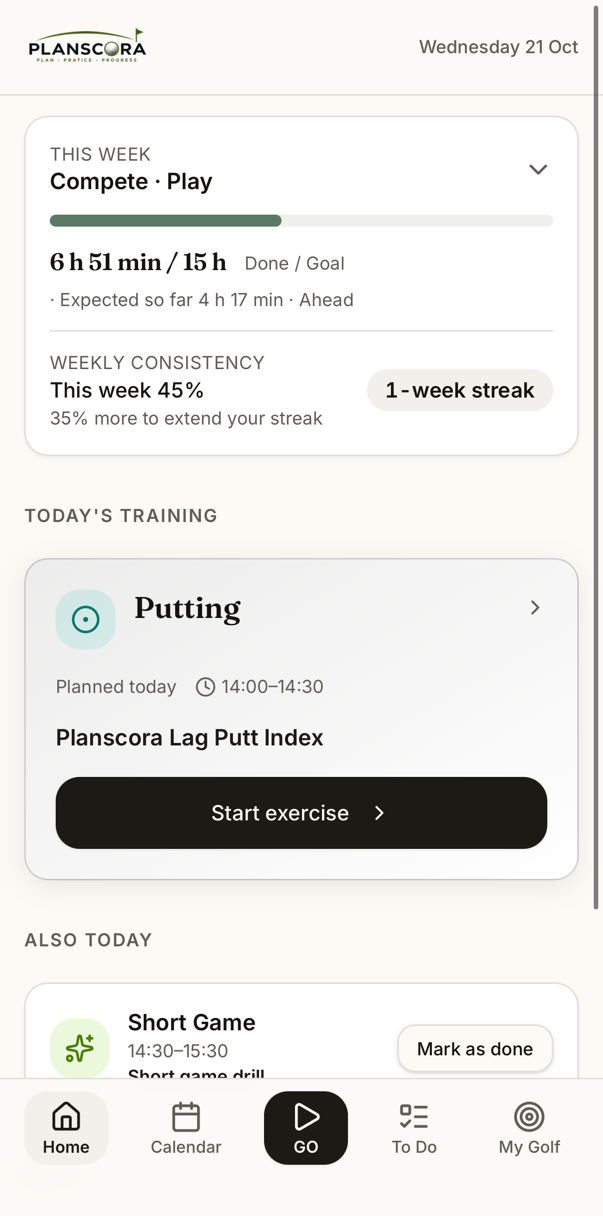
The Planscora Home screen with this week's training progress and today's putting exercise, Planscora Lag Putt Index, ready to start.

A clear purpose for every practice session.

  1. 01

    Choose your practice

    Pick an exercise or use one of your own.

  2. 02

    Record your results

    Follow the task and log what happened as you train.

  3. 03

    Review your progress

    Return to your results and compare sessions over time.

Give your next practice session a purpose.

Explore structured exercises for putting, short game and ball striking — with a clear task and a result to record.

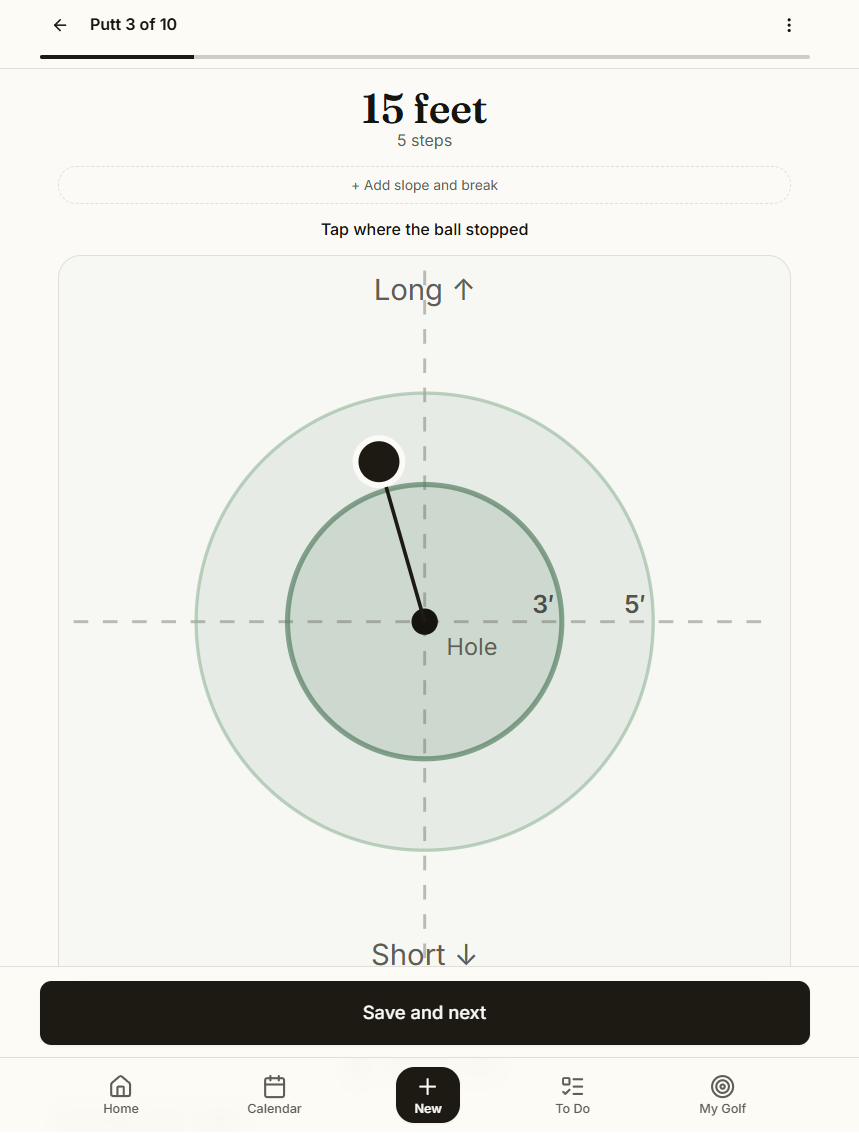
  • A Planscora Lag Putt Index putt with target circles and where the ball finished relative to the hole.

    Putting · approx. 25 min

    Work on your putting distance control.

    Planscora Lag Putt Index

    Follow the putting task, record where each ball finishes, and review your distance control after the session.

    Recorded: Lag Putt Index, average remaining distance and number of putts.

    Exercise details: Planscora Lag Putt Index
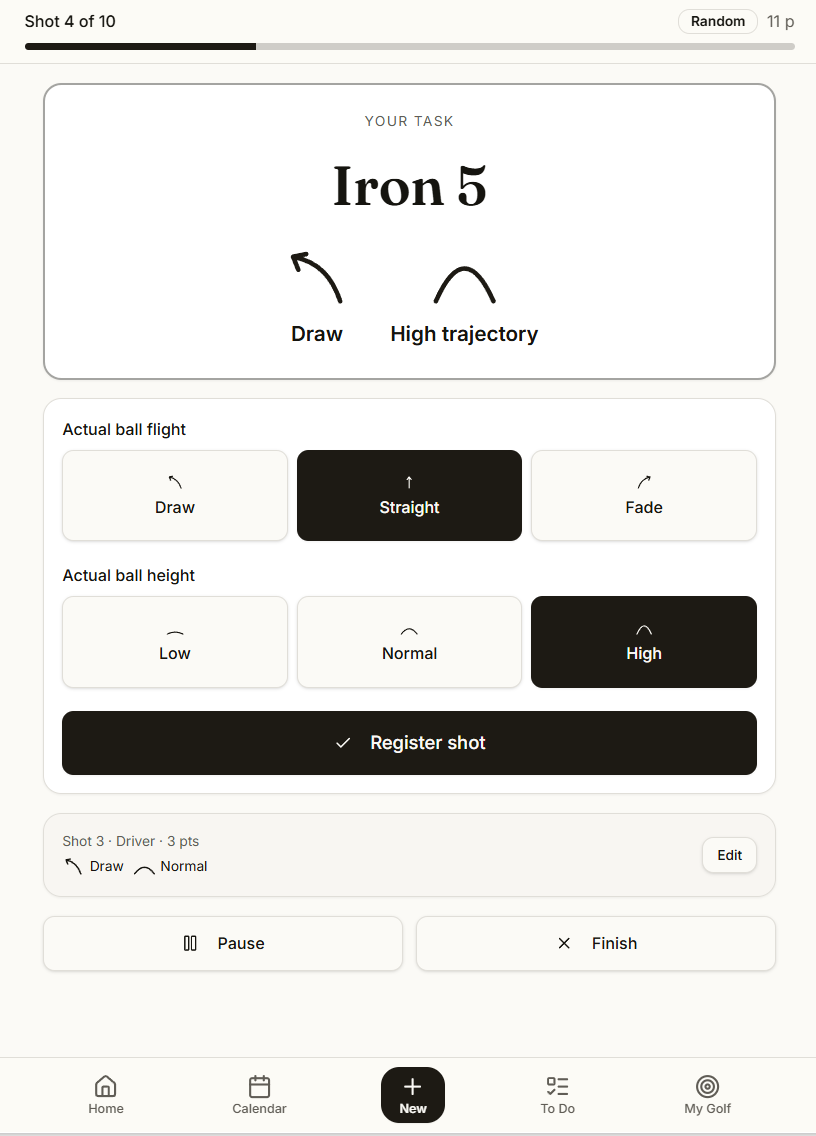
  • A Planscora Shot Maker Index task calling for an iron 5 draw with a high trajectory.

    Range · approx. 30 min

    Challenge your shot-making skills.

    Planscora Shot Maker Index

    Take on different clubs, shot shapes and trajectories, then record how well you executed each task.

    Recorded: Shot Maker Index, final score and percentage of successful shots.

    Exercise details: Planscora Shot Maker Index
  • Fairway · Rough · Bunker

    Different lies and distances

    Short Game · approx. 30 min

    Make your short-game practice more varied.

    Planscora Scrambling Combine

    Practice from different lies and distances, record your results, and compare your sessions over time.

    Recorded: Points and where each shot left you relative to the hole.

    Exercise details: Planscora Scrambling Combine

See how your practice develops.

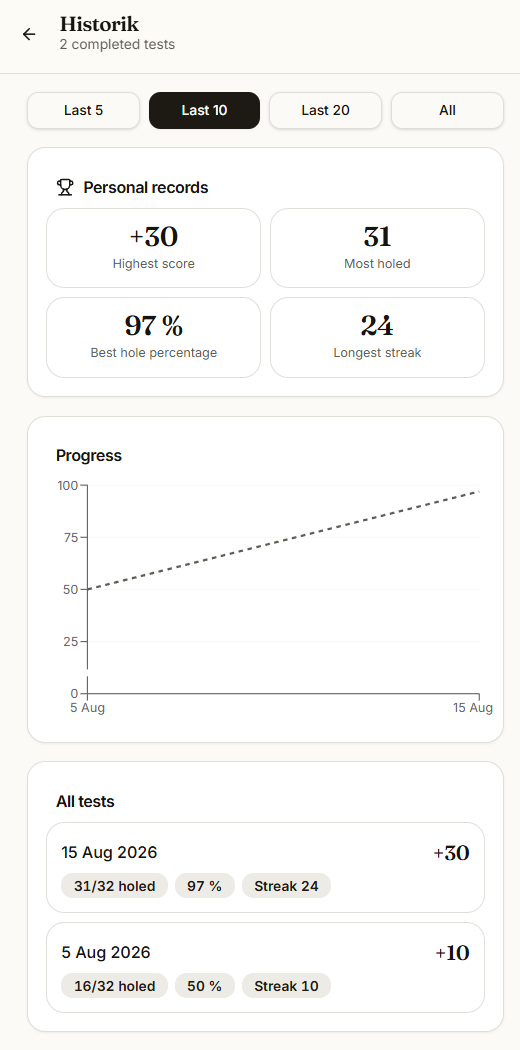
Review your recorded results, compare sessions and see your personal bests. Keep track of both the work you put in and how you perform in your exercises.

  • Compare exercise results
  • Review personal records
  • Follow your training over time
Example exercise history in Planscora: personal records, a progress graph and two completed tests.

Example data. Example of recorded exercise results and personal records.

Your practice. Your own exercises.

Create your own exercises, record the results that matter to you, and return to them as you train.

  • Create the exercise

    Give it a name, a category and instructions, and choose whether it tracks a result.

  • Choose what you record

    Score, points, made out of attempts, percentage, distance, speed, weight, time or reps.

  • Return to your results

    Each result is saved to your history, so you can see how it compares with earlier sessions.

Make room for the training that matters.

Bring golf practice, physical training and tournaments into the same calendar. Plan your week around the time you have, and use My Season to give your training year direction.

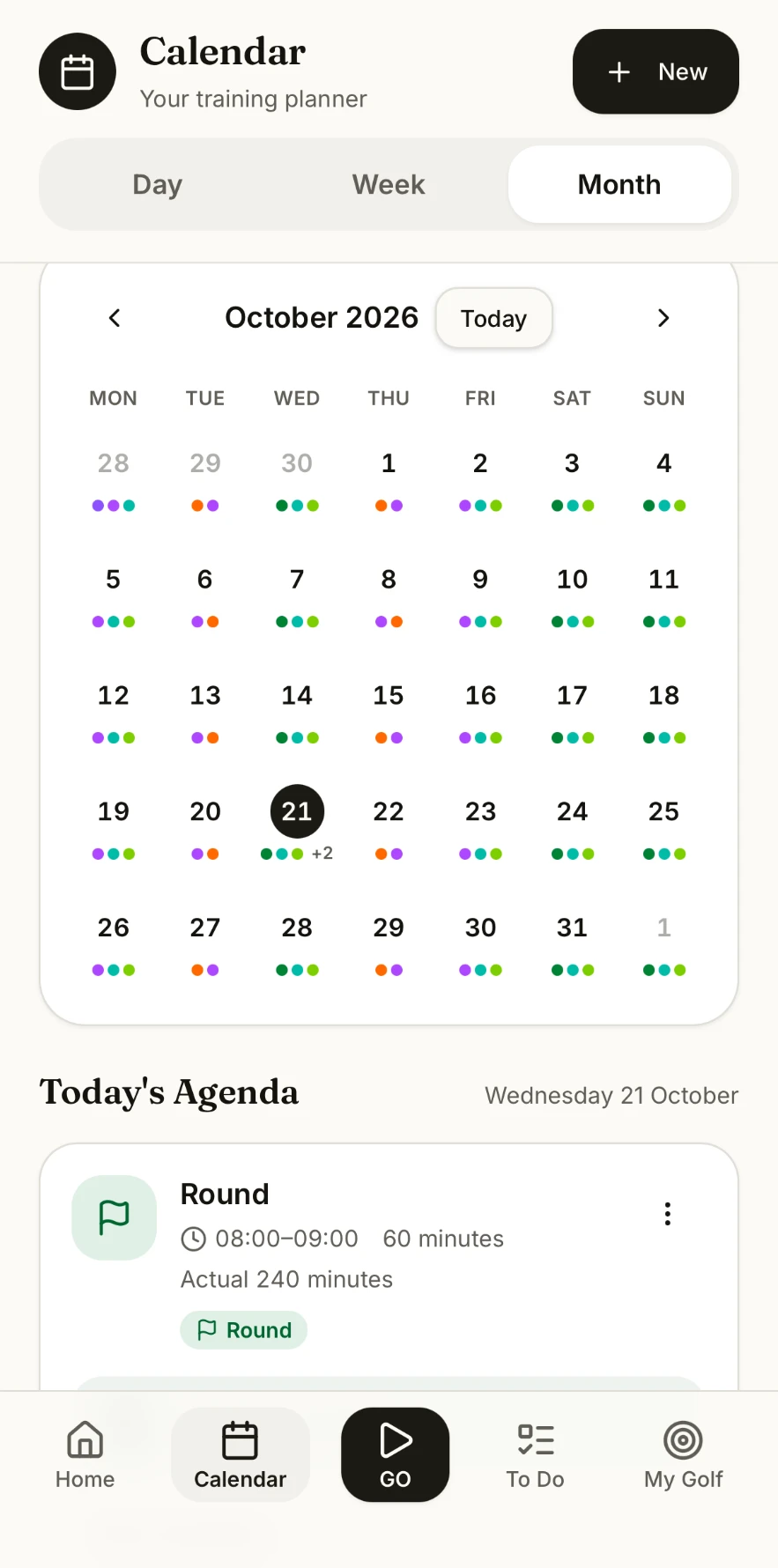
The Planscora Calendar showing a week of golf practice, physical training and other activities.

Your week in one calendar.

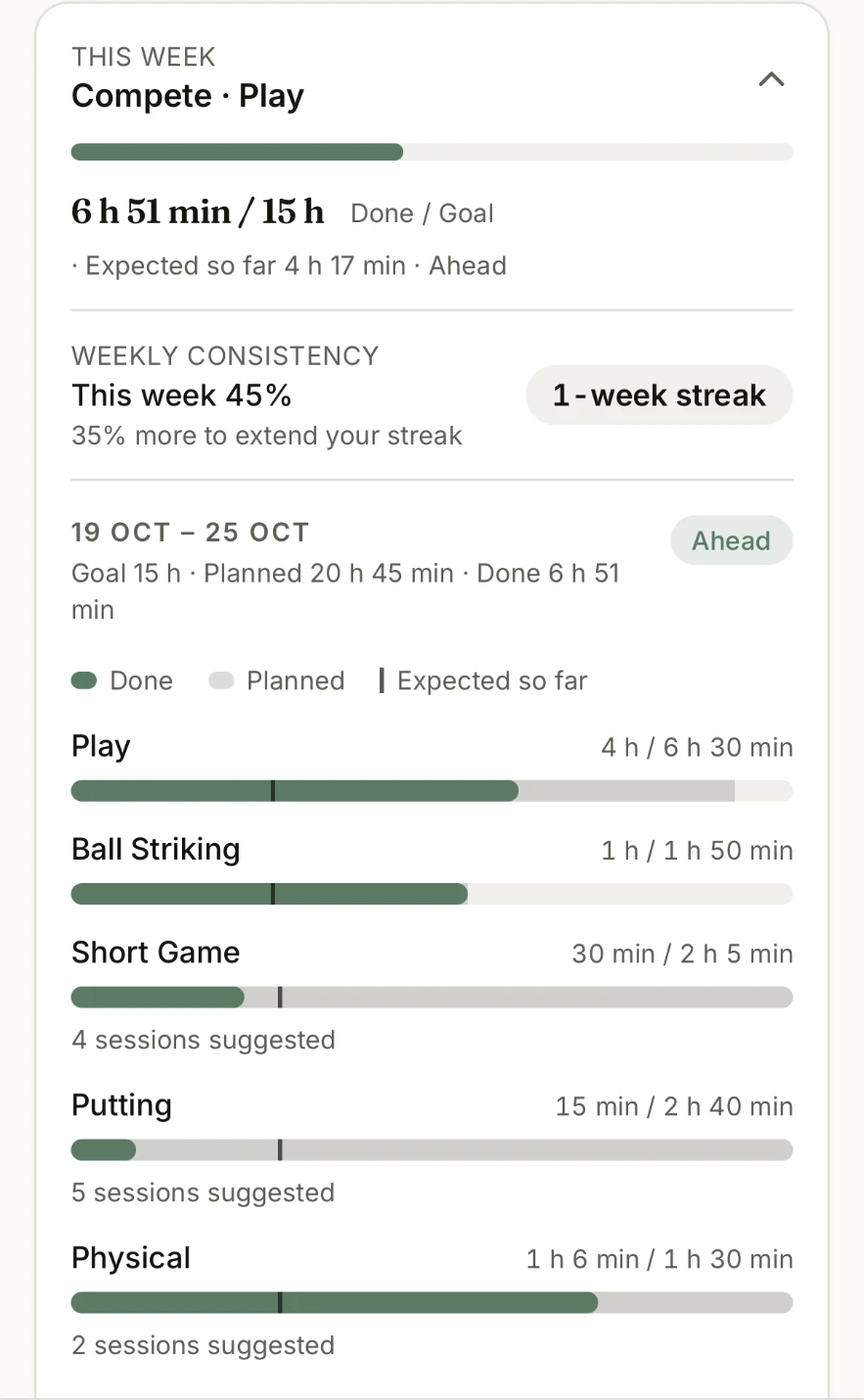
This week's training in Planscora: time done and planned per area, such as play, ball striking, short game, putting and physical.

See how the week is shared between areas.

My Season

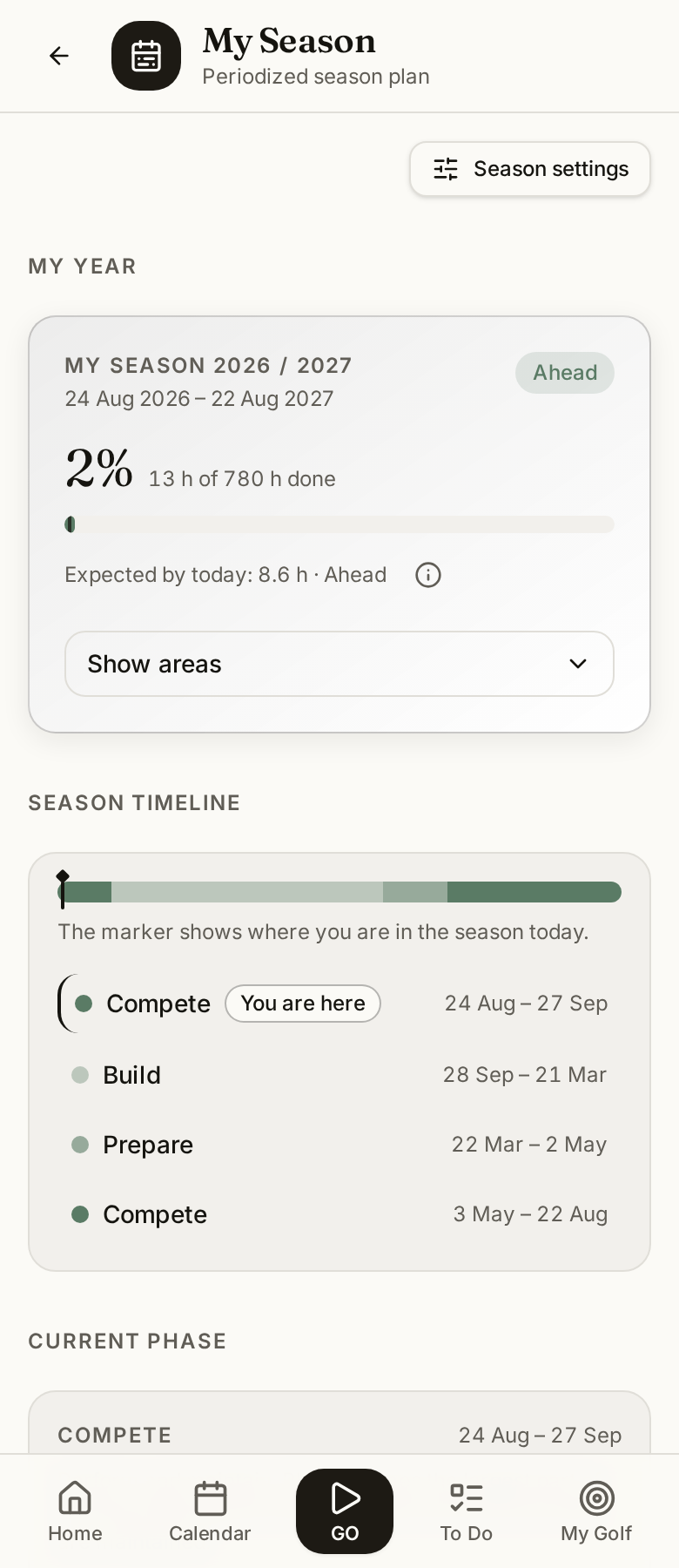
Tell Planscora what you want from the season, how much time you have and when your important events are. It divides the year into phases and suggests how to share your weekly time between areas of your game.

The My Season overview with season phases.

Build your own physical training sessions.

Explore the physical exercise library, follow clear instructions and combine exercises into your own training sessions. Keep your golf practice and physical training together in Planscora.

  • Explore the exercise library.
  • Follow exercise instructions.
  • Build your own sessions.
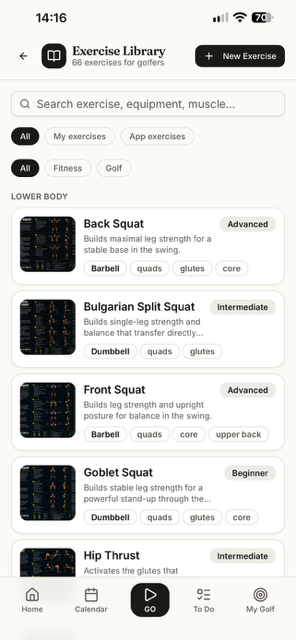
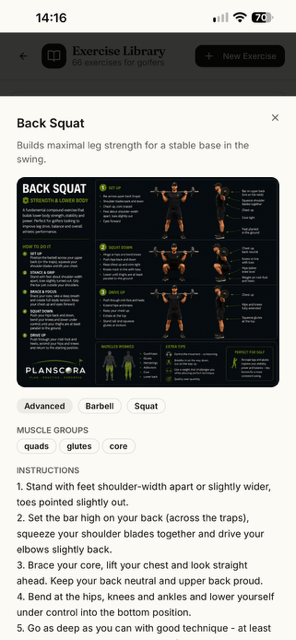
Planscora physical exercise library with search, exercise names, equipment and muscle groups.
Physical exercise library
Back Squat exercise detail with an illustrated guide and step-by-step instructions.
Exercise instructions

Ready when you are.

Add Planscora to your phone’s Home Screen and open it like an app — at the range, on the putting green or in the gym. You can also use Planscora in your browser.

iPhone / Safari

  1. Open Planscora in Safari
  2. Tap Share
  3. Choose “Add to Home Screen”
  4. Tap Add

Train on your own. Connect with a coach if you choose.

Use Planscora for your own training, or connect with a coach for support. You decide whether to connect, what a coach may support you with, and you can remove that access at any time.

How sharing works in our Privacy Policy

Who is behind Planscora

Planscora is a golf training and performance platform built for golfers who want structure behind their development. It is a planning and training tool that supports your own decisions — it does not replace a coach or guarantee any particular result.

About Planscora

Questions

Is Planscora free?

Planscora is free during early access. No credit card is required. If paid features are introduced later, pricing and terms will be presented before you choose to purchase them.

Do I need to download it from an app store?

No. Open Planscora in your browser and add it to your phone’s Home Screen to use it like an app.

Do I need a coach?

No. You can use Planscora for your own training. Connecting with a coach is optional.

Can I create my own exercises?

Yes. Create a golf exercise, choose what it records — such as a score, made out of attempts, distance or time — and your results are saved to your history.

Can I plan physical training as well as golf practice?

Yes. Explore the physical exercise library, read instructions explaining how to perform the exercises, and combine library exercises into your own training sessions. You can organise physical training and golf practice together in your calendar.

Can I start without planning a whole season?

Yes. You can start with an exercise and build your training plan as you go.

Does Planscora work on a computer too?

Yes. You can also use Planscora in your desktop browser.

Give your next practice session a purpose.

Start with an exercise. Record your results. Build from there.

Free during early access. No credit card required.

Already have an account? Log in